


填写完信息后提交,报错{"code":0,"msg":"禁止提交,请检查提交地址是否有误"
迅睿框架 更新 2021-04-14 17:51:51
 bobo7319
bobo7319
前端页面:
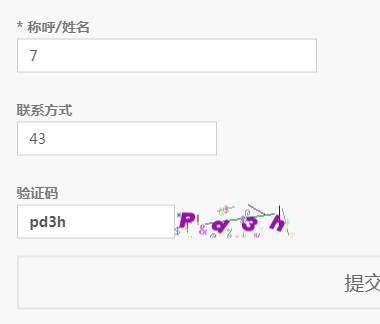
流程:
1、填写完信息后提交,报错{"code":0,"msg":"禁止提交,请检查提交地址是否有误","data":[]}
2、但是后台数据提交成功了
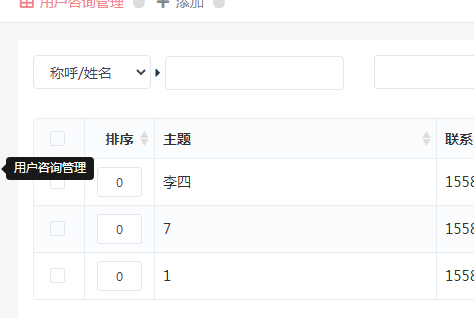
后台设置:
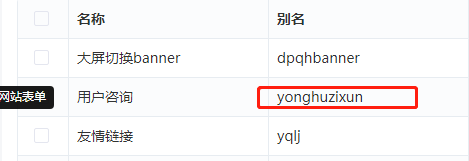
代码:
单独的子页面(zixun.html),并在多个页面中调用该子页面
{php extract(dr_get_form_post_value('yonghuzixun'))}
{$form}
   {$myfield}
      {$diyfield}
      {$sysfield}
      {if $is_post_code}
      {dr_lang('')}{dr_code(120, 35)}
                     {/if}
   (): : : : : :









{php extract(dr_get_form_post_value('yonghuzixun'))} {$form} {$myfield} {$diyfield} {$sysfield} {if $is_post_code} {dr_lang('')}{dr_code(120, 35)} {/if} (): : : : : :{php extract(dr_get_form_post_value('yonghuzixun'))} <!-- <p>调试信息:{$debug}</p>--> <form action=" " class="form-horizontal" method="post" name="myform" id="myform"> {$form} <div class="fc-form-body"> {$myfield} {$diyfield} {$sysfield} {if $is_post_code} <div class="form-group"> <label class="control-label col-md-1">{dr_lang('验证码')}</label> <div class="col-md-10"> <label> <div class="form-recaptcha"> <div class="input-group"> <input type="text" class="form-control" name="code"> <div class="input-group-btn fc-code"> {dr_code(120, 35)} </div> </div> </div> </label> </div> </div> {/if} </div> <div class="send btn-circle"> <input type="submit" name="submit" value="提交项目需求" onclick="dr_ajax_submit('{$post_url}', 'myform', '2000', '{$rt_url}')" > <i class="btn-circle-hover" style="top: 3.5px; left: 494.984px; width: 0px; height: 0px; opacity: 0; transition: width 0.6s ease 0s, height 0.6s ease 0s, opacity 1.3s ease 0s;"></i><i class="btn-circle-click"></i> </div> </form> <!-- 调试信息:{$debug}--><input type="submit" name="submit" value="提交项目需求" onclick="dr_ajax_submit('{$post_url}', 'myform', '2000', '{$rt_url}')" >改成<input type="button" name="button" value="提交项目需求" onclick="dr_ajax_submit('{$post_url}', 'myform', '2000', '{$rt_url}')" >