业务经理

微信扫描以上二维码

028-61286886

技术咨询

迅睿框架 版主:迅睿框架研发组
如何点击按钮的弹窗以AJAX的加载的方式跳出来
类型:迅睿框架 更新时间:2026-08-01 16:59:55

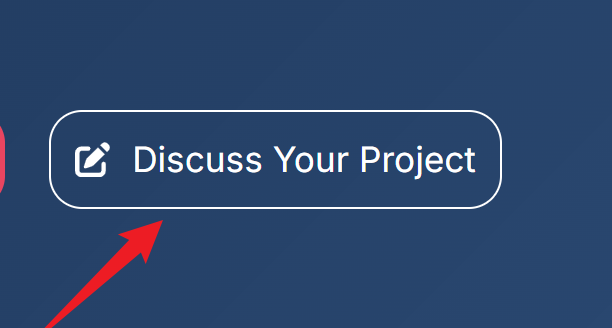
如何点击按钮的弹窗以AJAX的加载的方式跳出来,放在公共模板里网页太重了,不用layer。大神们,有好的方法吗?
image


回帖
  • seo艺术家
    #1楼    seo艺术家
    2026-07-28 16:07:18
    Chrome 0
    你好,可以新建一个独立的弹窗模板
  • 建站仿站seo优化
    #2楼    建站仿站seo优化
    2026-07-31 09:52:55
    Chrome 0
    seo艺术家 你好,那引入模板一样的html代码在页面上,体积一样的
  • seo艺术家
    #3楼    seo艺术家
    2026-07-31 10:26:23
    Chrome 0
    建站仿站seo优化 弹窗模板独立成一个单独页面 / 接口,初始页面只输出按钮、不加载弹窗 DOM;点击按钮触发 fetch 异步请求,获取 HTML 片段之后再渲染弹窗,实现按需加载<button class="open-tanc-btn" data-url="/index.php?s=home&c=page&m=ajax_tanc">your project</button>
    // 事件委托,页面可放置多个 .open-tanc-btn document.addEventListener('click', function(e) { const btn = e.target.closest('.open-tanc-btn'); if (!btn) return; const ajaxUrl = btn.dataset.url; let tancDom = document.querySelector('.tanc-wrap'); if(!tancDom){ fetch(ajaxUrl,{method:'GET'}) .then(res => res.text()) .then(html => { document.body.insertAdjacentHTML('beforeend', html); tancDom = document.querySelector('.tanc-wrap'); // 关闭弹窗 tancDom.querySelector('.tanc-close').addEventListener('click',()=>{ tancDom.classList.remove('tanc-show'); }) // 点击遮罩关闭 tancDom.querySelector('.tanc-mask').addEventListener('click',()=>{ tancDom.classList.remove('tanc-show'); }) tancDom.classList.add('tanc-show'); }) }else{ tancDom.classList.add('tanc-show'); } }) // ESC按键关闭弹窗 document.addEventListener('keydown', function(e) { if (e.key === 'Escape') { const tancDom = document.querySelector('.tanc-wrap.tanc-show'); if(tancDom) tancDom.classList.remove('tanc-show'); } })
    满意答案
  • 建站仿站seo优化
    #4楼    建站仿站seo优化
    2026-08-01 15:21:22
    Chrome 0
    seo艺术家 非常感谢热心回复!这边用接口没有折腾成功,不知道哪里问题?但是我现在用js:// 询价弹窗 异步加载方案 let popupLoaded = false; let loadingLock = false; const popupTemplateUrl = "/quote-popup.html"; // 修改为你弹窗页面真实访问地址 const quoteOpenBtns = document.querySelectorAll('.open-quote-popup'); let popupOverlay = null; let popupCloseBtn = null; let productSelect = null; let quoteForm = null; // 打开弹窗 async function openPopup() { const targetProduct = this.dataset.product || ''; // 第一次点击,异步加载弹窗模板 if (!popupLoaded) { if (loadingLock) return; loadingLock = true; try { const res = await fetch(popupTemplateUrl); const html = await res.text(); // 把弹窗结构插入body末尾 document.body.insertAdjacentHTML('beforeend', html); popupLoaded = true; } catch (err) { console.error("弹窗模板加载失败", err); loadingLock = false; return; } loadingLock = false; // 加载完成后获取dom节点 bindPopupDom(); } // 等待DOM存在 if (!popupOverlay) return; // 自动填充产品 if (productSelect && targetProduct) { const optionMatch = Array.from(productSelect.options).find(opt => opt.value === targetProduct); if (optionMatch) productSelect.value = targetProduct; } popupOverlay.style.display = 'flex'; document.body.style.overflow = 'hidden'; } // 关闭弹窗 function closePopup() { if (!popupOverlay) return; popupOverlay.style.display = 'none'; document.body.style.overflow = ''; } // 绑定弹窗内部事件 function bindPopupDom() { popupOverlay = document.getElementById('quotePopupOverlay'); popupCloseBtn = document.querySelector('.popup-close-btn'); productSelect = document.getElementById('popup_product-category'); quoteForm = document.getElementById('craneQuoteForm'); // 关闭按钮 if (popupCloseBtn) { popupCloseBtn.addEventListener('click', closePopup); } // 点击遮罩关闭 if (popupOverlay) { popupOverlay.addEventListener('click', e => { if (e.target === popupOverlay) closePopup(); }); } // 表单提交自动关闭 if (quoteForm) { quoteForm.addEventListener('submit', function () { setTimeout(closePopup, 300); }); } } // 绑定打开按钮点击事件 quoteOpenBtns.forEach(btn => { btn.addEventListener('click', openPopup); }); // ESC按键关闭弹窗(和你原有逻辑合并) document.addEventListener('keydown', e => { if (e.key === 'Escape') { closePopup(); closeMobileMenu(); } });
  • 建站仿站seo优化
    #5楼    建站仿站seo优化
    2026-08-01 16:59:55
    Chrome 0
    @seo艺术家:感谢你的回复!!!